Say hello to Sound Particles 3, your new playground for bold ideas, massive scale, and mind-bending sound design. Whether crafting cinematic soundscapes, sculpting immersive environments, or pushing the limits of audio in music, games, or film — Sound Particles 3 lets you multiply, move, randomize, and render sounds in ways no other tool can.
This Isn’t Just an Update. It’s a Full-On Evolution.
What is Sound Particles 3?
Sound Particles 3 is a standalone immersive audio workstation powered by a 3D engine and a particle system. In plain terms? It’s like having a CGI engine for sound. Create thousands — even millions — of sounds based on a single sample. Arrange them in space. Animate them. Capture them with virtual microphones. Export in any format you like.
Sound Particles 3 Versions:
Sound Particles 3 Artist
- Up to 100 Particles
- Up to 6 Mic Channels
- 15 AI Messages
Sound Particles 3 Professional
- Up to 10,000 Particles
- Unlimited Mic Channels
- 20 AI Messages
- Batch Processing
Sound Particles 3 Enterprise
- Unlimited Particles
- Unlimited Mic Channels
- 30 AI Messages
- Batch Processing
- ADM (Beds + Objects)
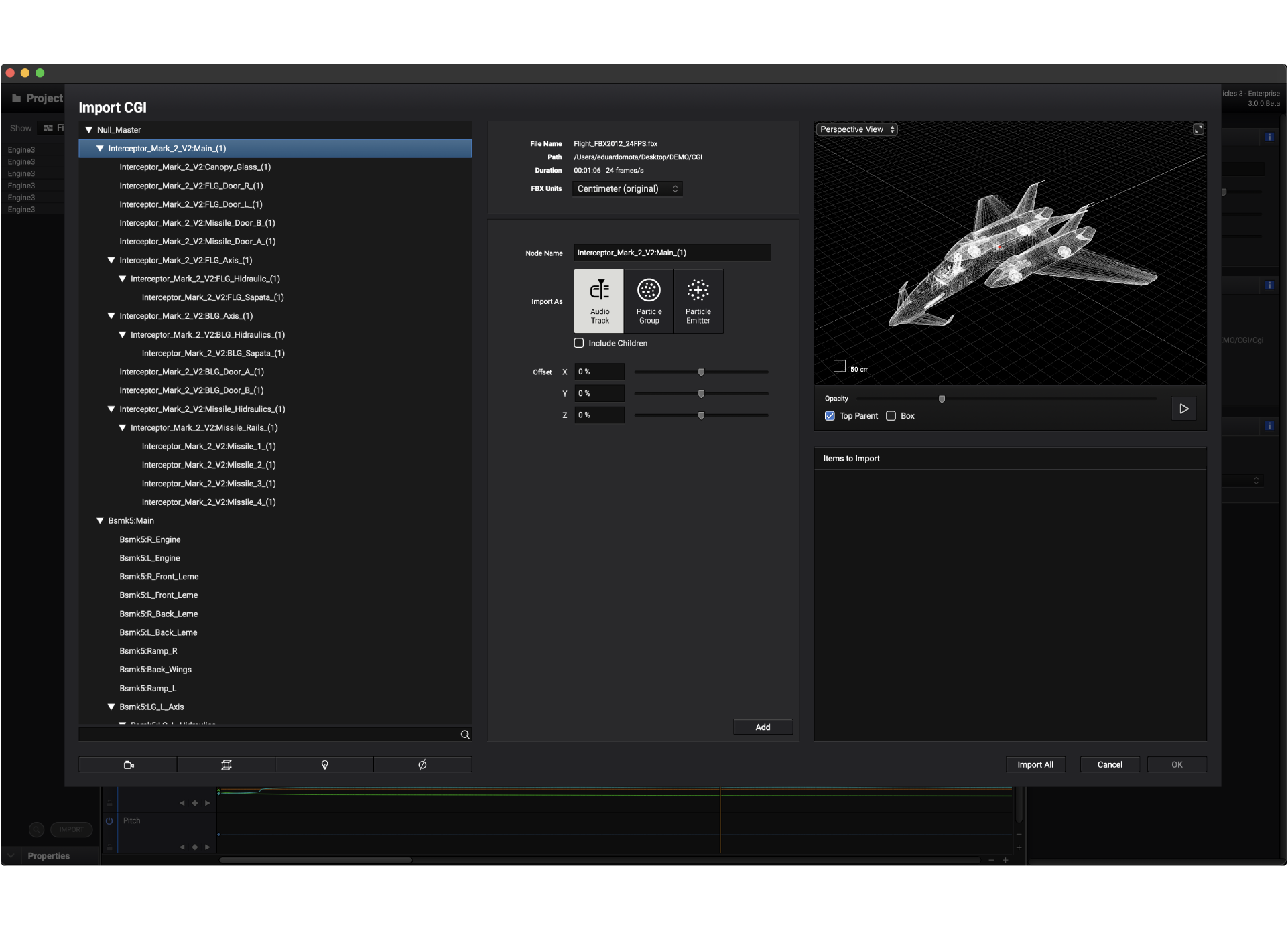
- CGI Import
NEW! Features include:
-
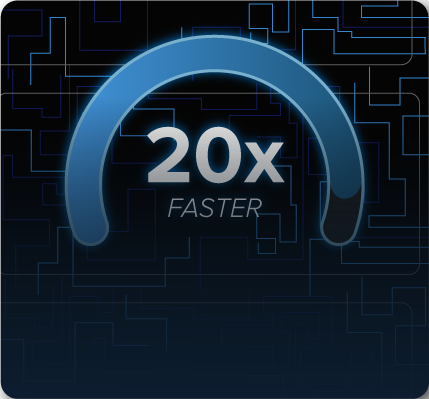
20x Faster: The Sound Particles engine just leveled up. Go beyond massive. They re-engineered the engine from the ground up — it’s up to 20x faster, and yes, they measured.
-
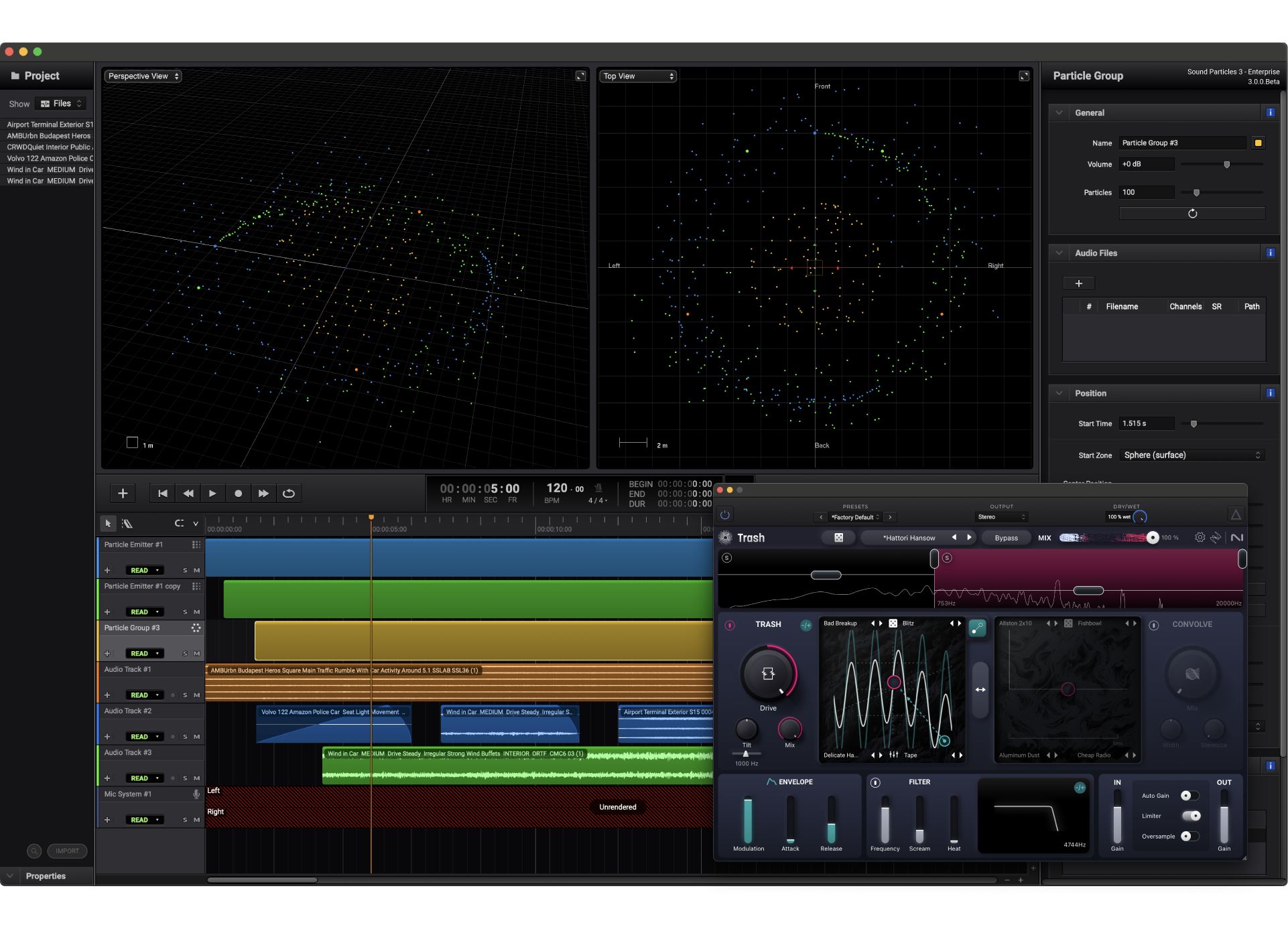
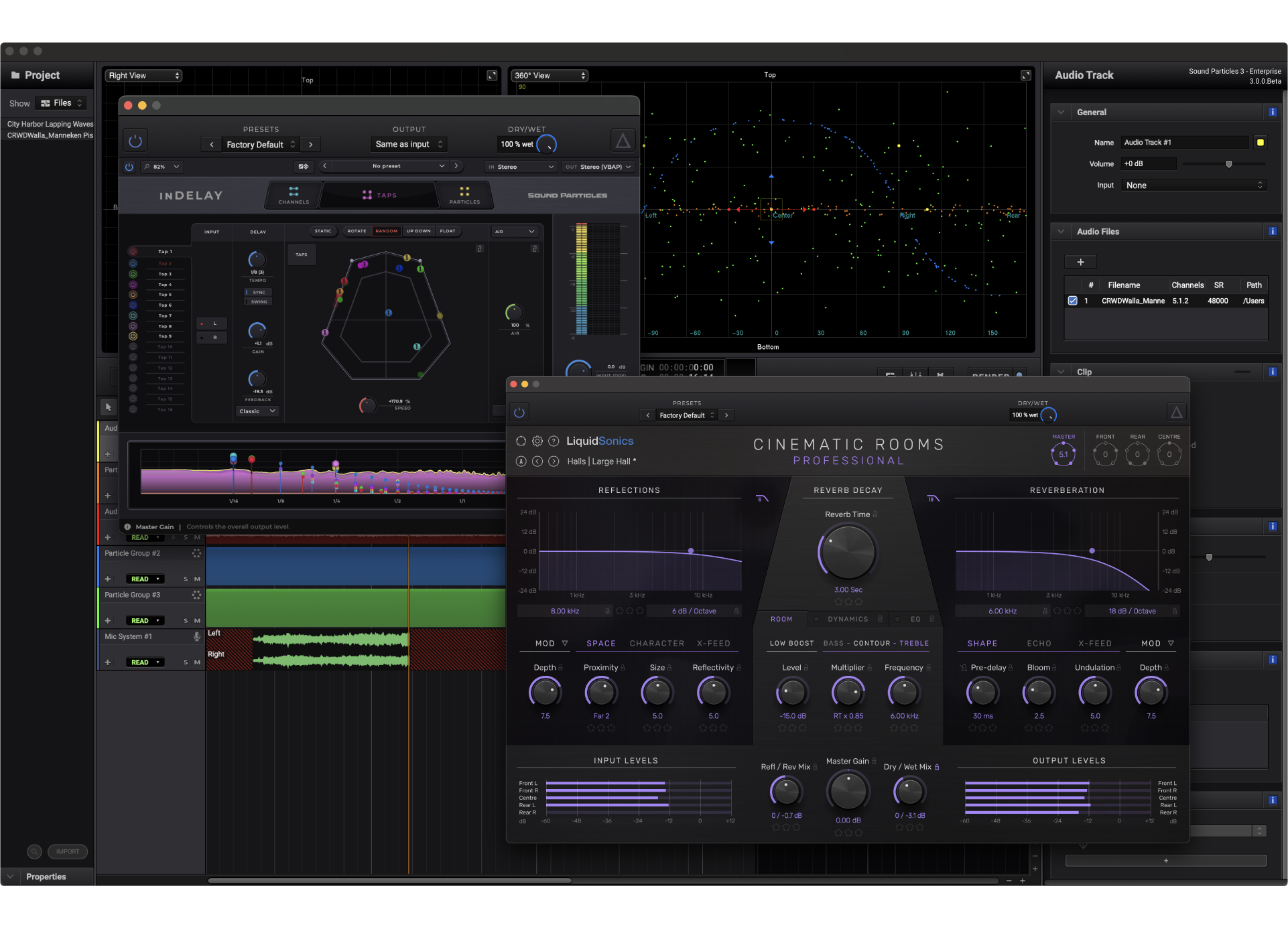
Add Plug-ins: Your tools, your workflow. From subtle sweetening to full-on sound design, use your favorite plugins in Sound Particles 3.
-
ADM Support: Particles can now become objects. Sound Particles 3 allows you to export your projects as ADM files to obtain the maximum space resolution for big theatrical releases.
-
Object Budgeting: Specify a max amount of objects that you want to support. It'll handle the rest, selecting which particles should become objects, and which ones should be rendered as beds.
-
Chat-Like AI Assistance: Need a 5.1 microphone or to add a subtle movement? Our built-in AI assistant helps you get things done — type your instructions, and it takes care of the rest!
-
Virtual Instruments: Any format. Instantly. Load any virtual instrument — synths, samplers, drum machines — and assign them to your particles. Yes, even your piano can now orbit the listener.
Other Features include:
-
Particles: Generate thousands of sounds playing at once, based on your input source file. Scalability made easier.
-
Immersive Workflow: Define the position and movement of your sounds freely in an endless tridimensional space.
-
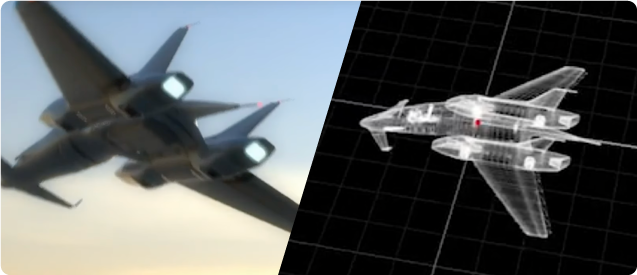
CGI Integration: Take your animation file and use it to control sounds with no effort. Perfect sync between image and sound.
-
Format-Agnostic Session: With the ability to change formats with a click, compose and produce your music without constraints - we speak them all.
-
Happy Accidents: Inspire yourself by randomizing your vocal harmony particles, their gain, their position and much more. Randomize responsibly.
-
Massive Soundtracks: Turn one sample into a thousand-layered cinematic texture. Create crowds, battlefields, or harmony stacks in seconds.
-
Virtual Microphones: Add multiple mics in your workspace to capture sounds from multiple angles and perspectives. Just like in a studio.
-
Moving Microphones: With virtual microphones, you can render your session in any audio format and give it movement as if it were a camera.
-
Stereo Microphones: Instead of basic gain panning, create stereo mic setups like Decca Tree or ORTF for precise gain and time-based panning.
Chat-Like AI Assistant
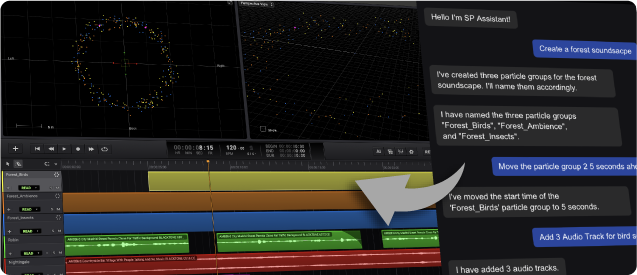
The first AI Assistant to truly control a DAW.
-
Control Everything: This AI Assistant can control almost every aspect of the software — just write what you want to do.
-
Your New Tutor: New to Sound Particles or unsure where to start? The AI Assistant will guide you step by step.
-
Multi-Language: Speak your language. The AI can understand and reply in almost any language. Work comfortably in your native tongue.
-
Focus On What Matters: From organizing tracks to rendering outputs, the Assistant can automate repetitive tasks. Focus on creativity instead of management.
-
Troubleshooting: Don’t know why you can’t hear anything on Sound Particles 3? Just ask. The Assistant helps you diagnose and fix common issues.
-
No Generative Audio: Sound Particles' AI Assistant is here to serve you — not to create for you. You give the instructions, and it executes them with precision.
Think Spatial
Even if you only work in stereo, Sound Particles 3 is format-agnostic.
-
ADM Objects: Export object metadata to other DAW (budgets, reuse, prioritization). The highest resolution for sound designers.
-
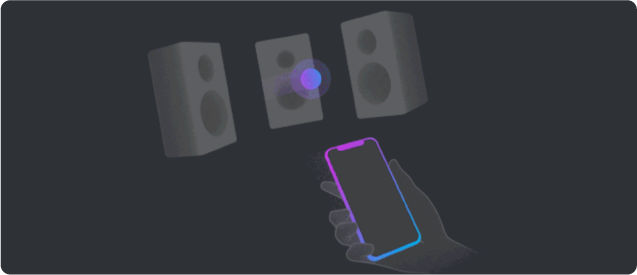
Point and Pan: Use your phone as a laser pointer to position sounds around you in 3D, in an easy, fast and, above all, fun way.
-
3D Audio Over Headphones: No 7.1.4 room? Render your session in Binaural for client approval. Or simply use headphones to listen to your session in 3D.
-
High Order Ambisonics: With support for up to 6th Order Ambisonics, Sound Particles 3 is able to import and export any Ambisonics format.
-
SOFA (Binaural): Import your SOFA file with your personalized HRTF or simply pick one of the existing HRTF datasets.
-
Ambisonics Decoder: Listen to your Ambisonics projects in any speaker setup or headphones, in real-time.
The Art of Spatial Music
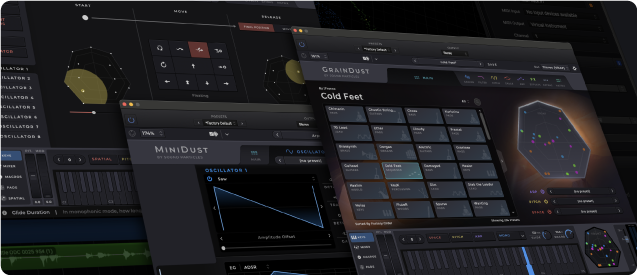
Your creativity, without barriers.
-
MIDI Track Modes: Switch between Instrument, MIDI or Instrument + Particles modes to change how your track behaves.
-
Instrumental Particles: (Coming Soon) Turn your VI into particles and define its position, movement and audio modifiers. Ethereal or messy, you choose.
-
Virtual Instruments: Instantiate your favorite virtual instrument in any format you like - let it be stereo, 5.1, 9.1.6 or any other output format.
-
Piano Roll: Shape every note with precision. Edit, move, trim, duplicate, snap, and quantize your MIDI in the Piano Roll.
-
Fine-Tune MIDI: Quantize, cut, copy, paste, duplicate, trim, move, merge, select, and split — everything you need to edit MIDI quickly and precisely.
-
Audio Recording: Record, edit, and perfect. Track your audio with precision and flexibility, ready for any workflow.
Epic Sound Design
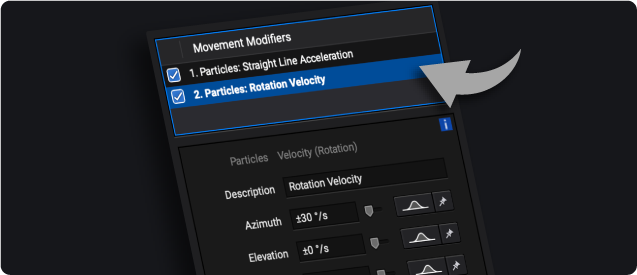
More sound design, less copy paste.
-
1M+ Particles: Create thousands of sounds, aka particles, playing at the same time - from a big battle to 1000 Taiko drums all around you.
-
Movement & Audio Modifiers: With a click, apply physics-based movement and audio modifiers for added diversity. Boost the psycho-acoustic impact.
-
Explorer Built-in: Manage your sound collection or access to over 175,000 SFX files through built-in Explorer Cloud (external subscription).
-
Granular: Turn a 30 seconds file into an endless audio clip. No more splicing, copying and pasting.
-
Batch Processing: Render dozens of files or variations in a single click. Great for trailers, SFX libraries, or when the deadline’s yesterday.
-
Controlled Chaos: Even randomness can be controlled. Use different distributions to customize the random behaviour of each parameter.
Intuitive User Experience
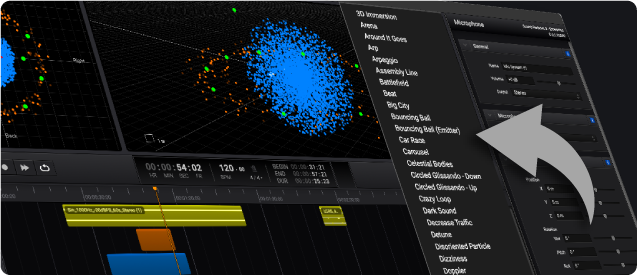
3D sound isn’t - and shouldn’t - be complicated.
-
3D Views: See your project from 360º, Top, Front, Side, or Perspective. Know your mix from every angle.
-
25+ Track Presets: Save multiple track and microphone settings and access 100+ professionally crafted presets, recalling setups with just two clicks.
-
I/O Manager: With bass management, advanced matrix, Binaural settings, delay compensation and more, your session will adapt to any room.
-
Optimized Engine: The Gold standard of 3D audio engine, now supercharged with even more features and up to 20x faster.
-
Perspectives: Virtual mics allow you to experiment with different sonic perspectives. Listen to your car from the front, or the back, or above!
-
Advanced Video Engine: Put the sounds on top of an image, and assign sounds to elements of your video. A first in any audio workstation.
System Requirements:
- Mac OSX 10.15 or higher -- or -- Windows 10 or Higher
- AAX Native, AUv2 and VST3
- 2-Core or Higher CPU
- 4GB+ RAM
- 1.3GB Disc Space
/eh/2025-01-08/173633966714069467/picture.png)

/eh/2024-12-24/173503345348979036/Favorite-Icon.png)
/eh/2025-07-08/1751962110204480194/picture.png)
/eh/2025-06-21/1750485478958537574/countryInfoIcon.png)
/eh/2025-06-21/1750485741321434291/Hi-Sign-in-My-Nihao.png)
/eh/2025-06-21/1750485837193896318/cart.png)
/eh/2025-06-21/1750485968202533847/cart.png)
/eh/2025-04-17/1744862476612819675/hot-img.png)
/eh/2025-11-07/1762504524550532584/header-icon.jpg)
/eh/2025-07-07/1751875582852206790/header-icon.png)
/eh/2025-07-07/1751875587886277738/header-icon.png)


![Prismatic Vista (Retro Foil Etched) [Modern Horizons]](https://cdn.shopify.com/s/files/1/0764/7005/9282/files/e58072d9-5191-5dce-b54f-f0f1c9da0da8_b6451a8c-7e7f-4513-9c2b-8edd726f4d84.jpg?v=1730988609)


