/eh/2025-01-08/173633966714069467/picture.png)

/eh/2024-12-24/173503345348979036/Favorite-Icon.png)
/eh/2025-07-08/1751962110204480194/picture.png)
/eh/2025-06-21/1750485478958537574/countryInfoIcon.png)
/eh/2025-06-21/1750485741321434291/Hi-Sign-in-My-Nihao.png)
/eh/2025-06-21/1750485837193896318/cart.png)
/eh/2025-06-21/1750485968202533847/cart.png)
/eh/2025-04-17/1744862476612819675/hot-img.png)
/eh/2025-11-07/1762504524550532584/header-icon.jpg)
/eh/2025-07-07/1751875582852206790/header-icon.png)
/eh/2025-07-07/1751875587886277738/header-icon.png)

Best in 7 days


Shopping security
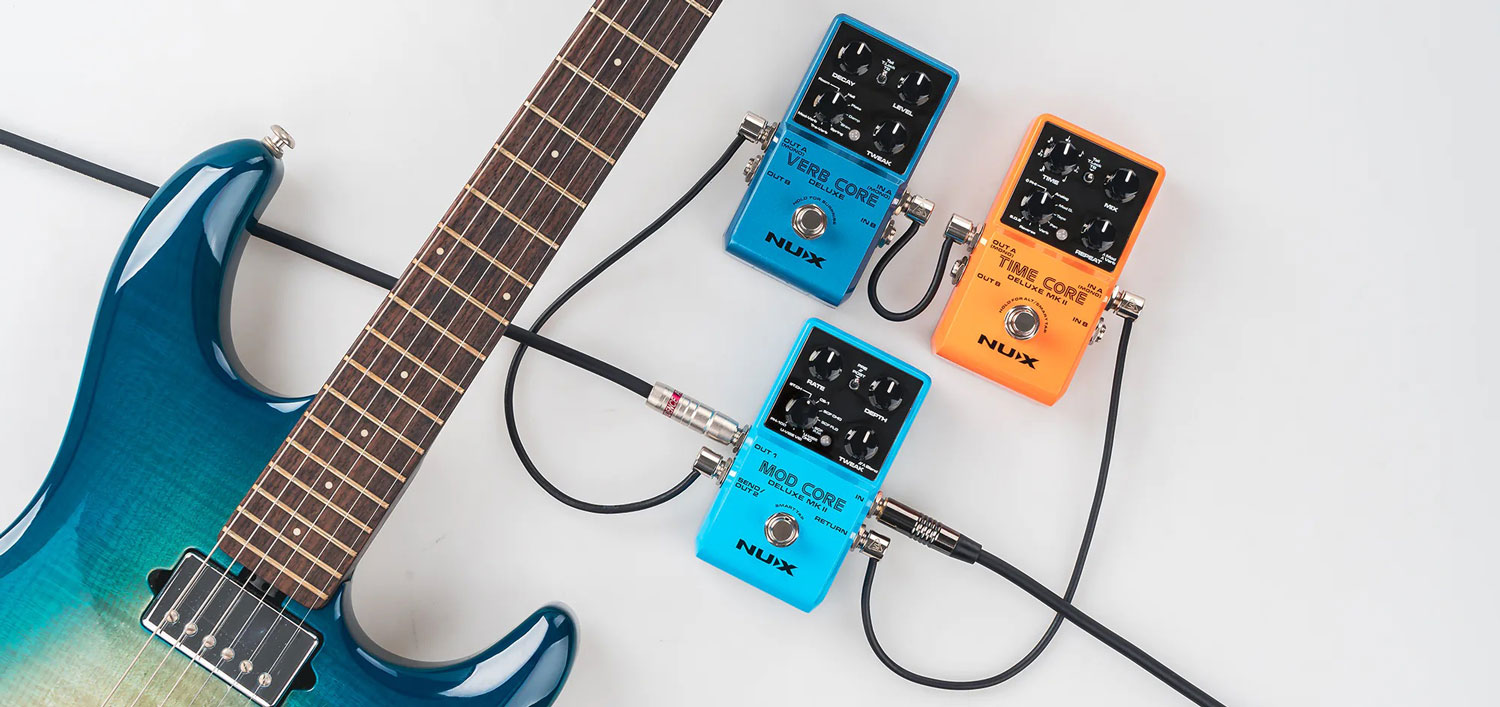
Shape your tone with advanced routing. Modify your tone with Modulation
The NUX MOD CORE DELUXE MKII is a modulation pedal with 8 different types including ST.CH (Stereo Chorus), CE-1, SCF CHO, SCF FLG, SCF P.M., U-VIBE CHO, U-VIBE VIB and PH-100. You can switch the mod types by way of the Type rotary switch.
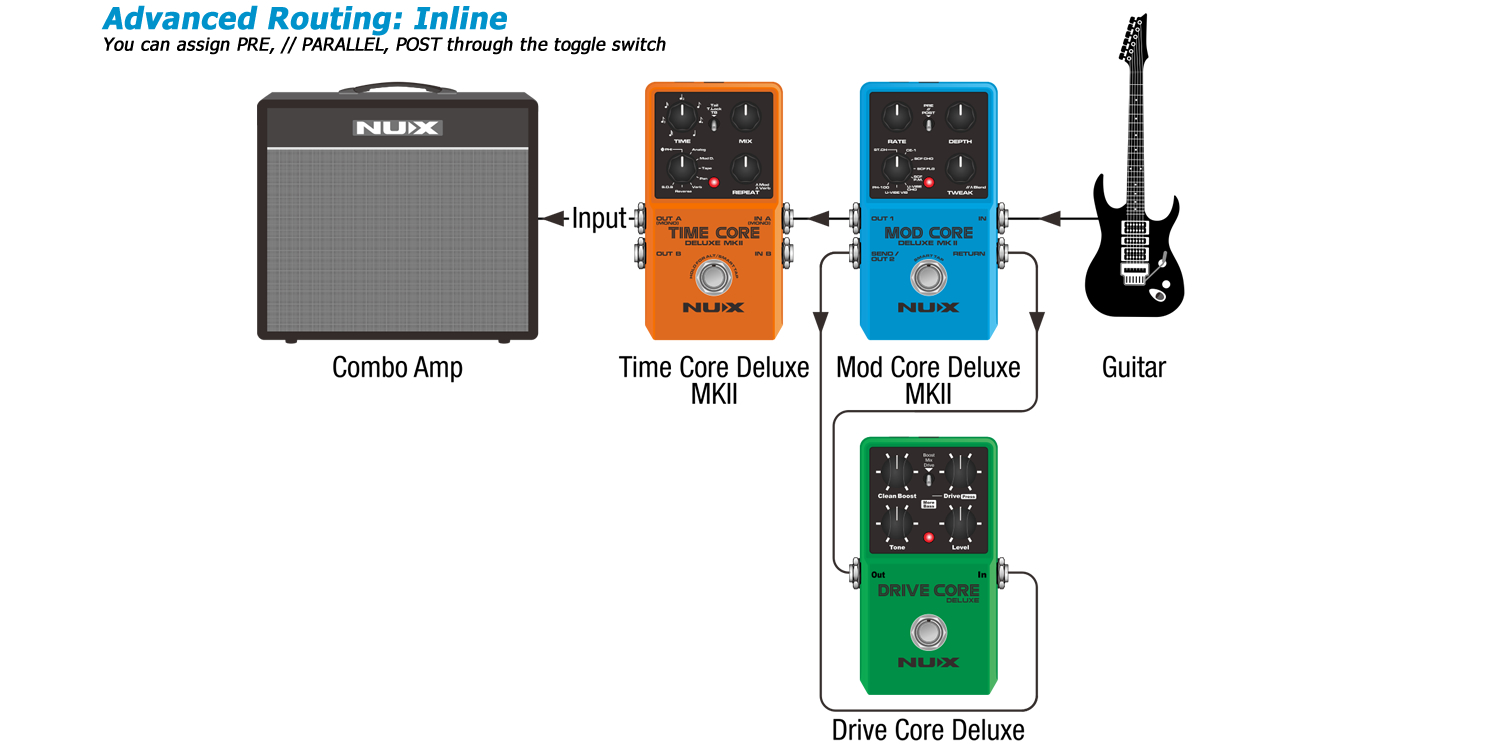
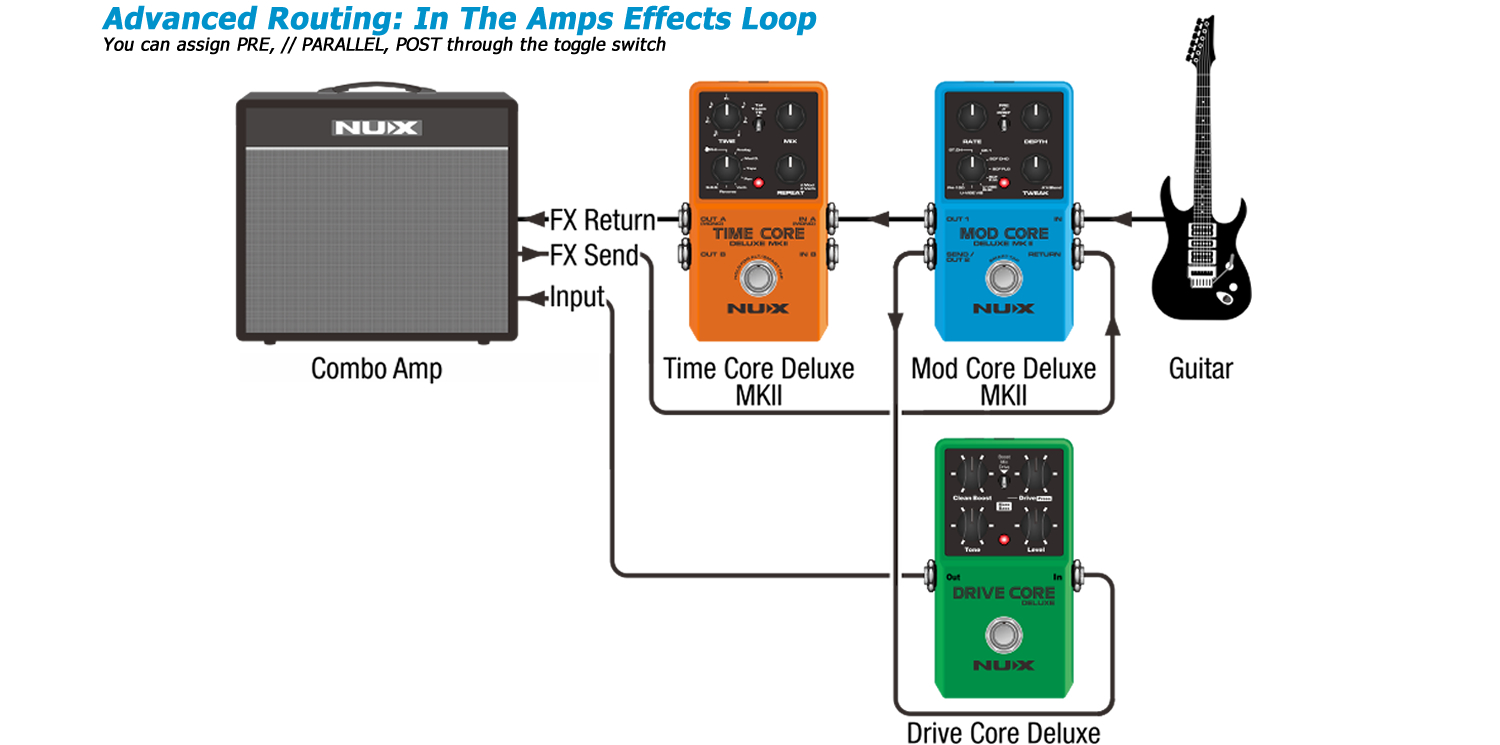
This pedal offers advanced signal routing with the included Send and Return. Easily split the mono signal to create customized effect loops! Additionally, you can parallel the 2 signals, and use the Tweak knob in Alt mode to blend the signals. Use the 3-way toggle switch to the desired position, and you are good to go. Keep reading below for more signal routing ideas
FEATURES:
SPECIFICATIONS:

*All of the brand and model names mentioned on this page are Trademarks of their respective owners, which are in no way associated or affiliated with NUX Effects and Cherub Technology CO. LTD.
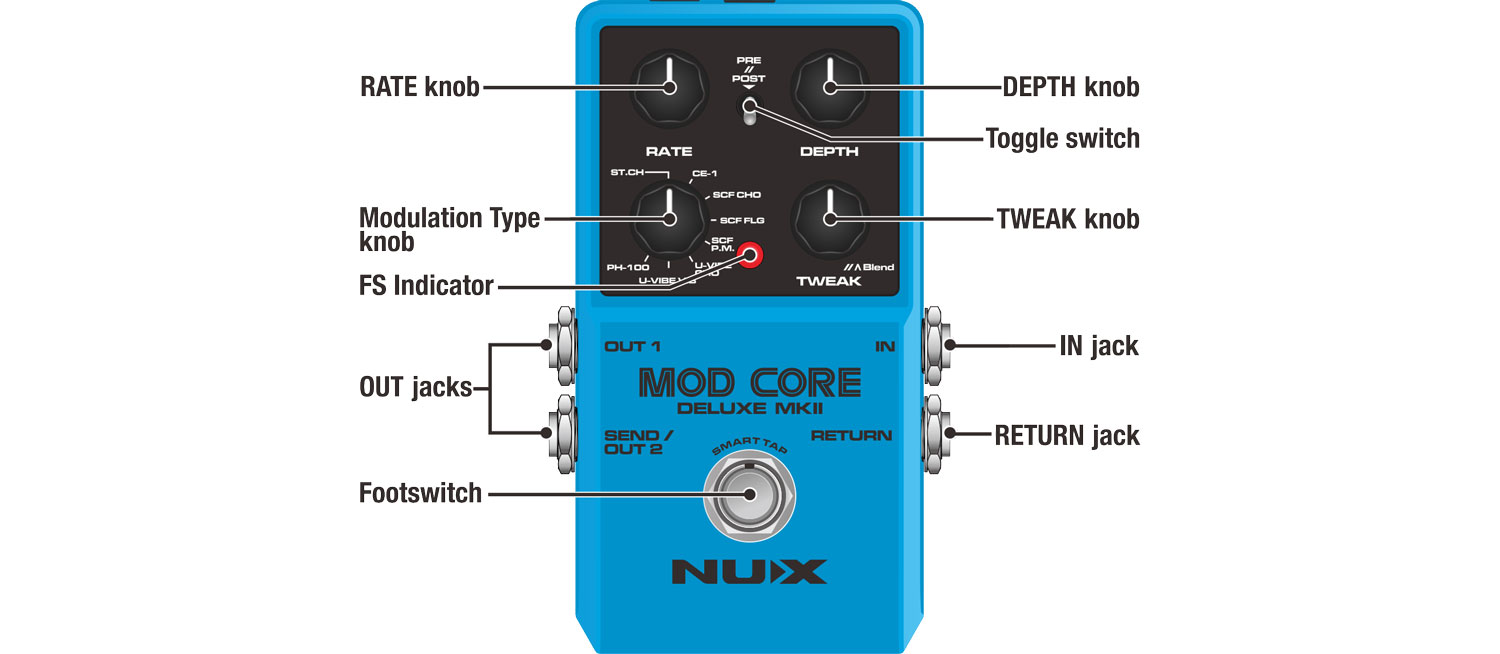
RATE KNOB:
Adjusts the modulation speed.
DEPTH KNOB:
Adjusts the modulation sweep range.
MODULATION TYPE KNOB:
Selects the type of modulation.
Note: PH-100's original reference only has 2 parameters, so the Tweak knob has no function in PH-100 model.
TWEAK KNOB:
In ST.CH / CE-1 / SCF CHO / SCF FLG / SCF P.M. / U-VIBE CHO / U-VIBE VIB modes, Tweak knob adjusts the mix level of modulation.
In PH-100, the Tweak knob has no function as the original reference doesn't have a mix signal.
The Tweak knob also acts as a Blend knob while in Alt mode. To access this set the toggle switch to the // (parallel) position. You can now press and hold the footswitch to enter Alt mode. Now, the Tweak knob becomes Blend function to adjust the mixing rate of Modulation effect signal and Send/Return signal. (Counterclockwise gets more Send/Return signal, clockwise gets more Modulation signal.
PRE/POST TOGGLE SWITCH:
Note: The toggle switch only works in advanced routing setups. For normal routing, the toggle switch has no function. Keep reading below for examples of advanced routing setups. Toggle the switch to desired position to choose the signal routing.
FOOTSWITCH & FS INDICATOR:
Press once to engage/disengage the effect. Press twice, it will activate the Smart Tap Tempo feature.
The Rate is related to tap tempo. (The FS indicator will flash as current BPM.)
While the effect is engaged, the FS indicator will show "Red".
While the effect is disengaged, the FS indicator will turn off.
Note: The tap tempo range is 50 - 200 BPM.
.jpg)
DC JACK:
Use ONLY: 9V Negative Tip power with more than 150mA. (The power consumption is less than 110mA.)
USB-C PORT:
The USB-C port is for firmware updates. Connect a USB cable to your PC and hold the footswitch to boot-up the device and to enter the DFU (Device Firmware Update) mode. Once connected you can do firmware updates using DFU updater software. Download the related firmware and firmware update guide from product page.
IN JACK:
The audio inputs on the right side of this pedal are standard 1/4" jacks (mono/TS). Connect your guitar to the In (mono) audio input on the right side of your pedal using a regular 1/4" instrument cable.
RETURN JACK:
In advanced routing, connect Pre-effects like OD/Dist output to the Return jack.
OUT JACKS:
Normal routing: The audio outputs on the left side of this pedal are standard 1/4" jacks (mono/TS). Connect the audio output of Out1 to the next device in the signal chain, either with a single cable or with a pair of 1/4" cables if both Out1 and Out2 are being used.
Advanced routing: Out1 sends the modulation effect out. Send out sends the loop signal out.
.jpg)
** Free Firmware Updates and Manuals are available by clicking here then selecting "Support"
Ships within 48 hours · Estimated delivery Aug 6 - Aug 11
US$40
Get nowSign up to your membership to get coupons up to
15%
Get nowOpportunity to enjoy order discount up to 15% off
Top-Converting Item to Boost Your Average Order


